
Free Online Notepad – No Login Required
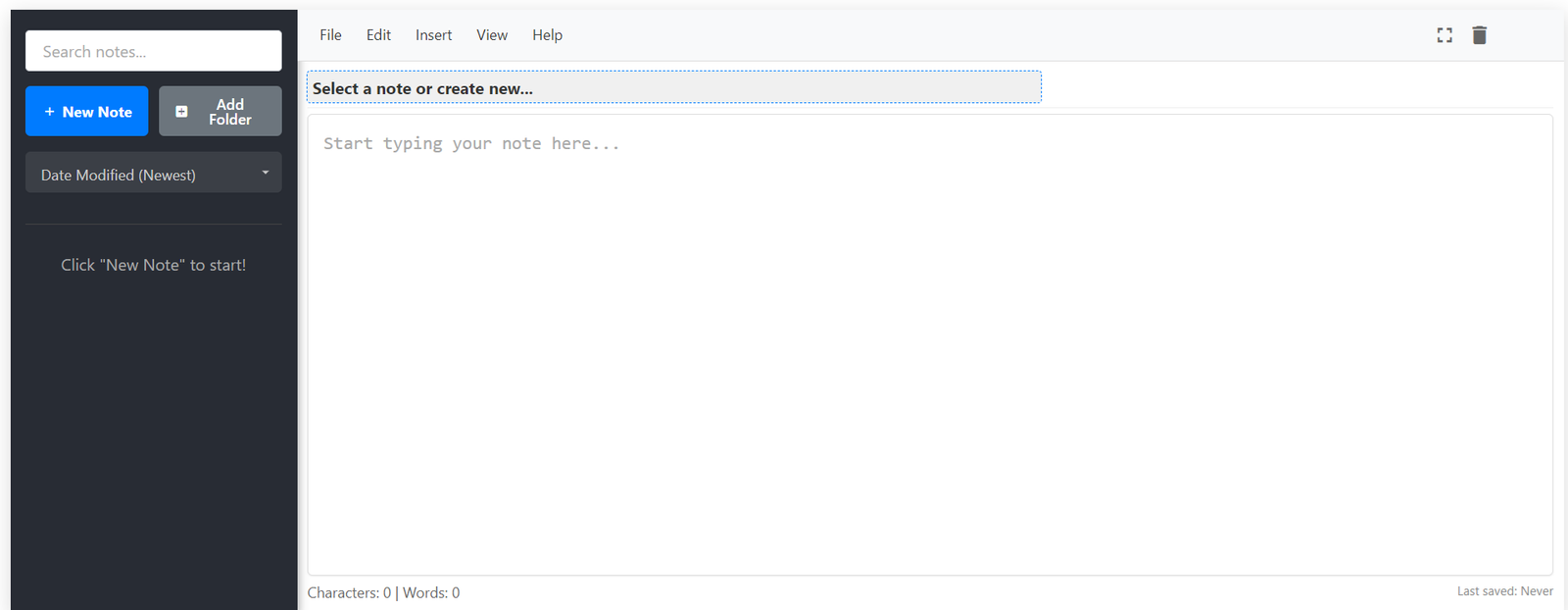
Notepad Hub is a fast, secure, and clutter-free text editor that works right in your browser. Take notes, write drafts, or store ideas — all saved instantly on your device with no account or signup needed.
Check out these 15 additional free text tools!
Online HTML Compiler
Write, edit, and run HTML, CSS, and JavaScript code with live preview.
JSON Formatter & Validator
Format, beautify, minify, and validate JSON instantly.
Sort Text
Alphabetical, reverse, or random order sorting.
Convert Case
Change text to uppercase, lowercase, title case.
Find & Replace
Find and replace text in a document instantly.
Reverse List
Flip your list vertically in reverse order.
Difference Checker
Compare two texts and find differences.
Word Counter
Count words, sentences, characters, and more.
Email Extractor
Extract all email addresses from any text.
URL Extractor
Pull out all website links from content.
Remove Emojis
Clean your text by removing emojis.
Remove Line Breaks
Delete all line breaks from a text block.
Remove Empty Lines
Eliminate blank lines from your document.
Remove Duplicate Lines
Filter out all repeating lines automatically.
Remove Extra Spaces
Clean unwanted multiple spaces in text.
Key Features of Notepad Hub
Simple Interface
A distraction-free editor with a minimal UI to keep you focused on what matters — your writing.
Autosave
Every keystroke is auto-saved in your browser. Your notes stay safe, even if you close the tab.
Word Count
Monitor your word count in real time — helpful for writers, students, and professionals alike.
Find & Replace
Search and swap words or phrases quickly using our smart find & replace feature.
Spellcheck
Automatically detect spelling mistakes using your browser’s native spellcheck support.
Print or export your notes as txt or json with one click — perfect for sharing or archiving.
What is Notepad Hub?
Notepad Hub is a free, browser-based online notepad designed for quick, secure, and distraction-free note-taking. Whether you're a student jotting down lecture notes, a developer writing snippets, or a writer brainstorming ideas — our tool lets you write instantly with no login or downloads required.
Everything you write is automatically saved in your browser’s local storage, meaning your notes stay private and are never sent to our servers. Choose between our modern notepad with folder support and extra features, or the classic minimalist notepad for pure writing focus.
Start now with Modern Notepad or try the Classic Notepad — both are completely free and mobile-friendly.
Who Uses Notepad Hub?
Writers
Draft blog posts, story ideas, or journal entries distraction-free.
Students
Take class notes, make to-do lists, and study smarter.
Developers
Store code snippets, outlines, or quick project notes.
Mobile Users
Write on-the-go without downloading any app or signing in.
What Users Are Saying
Real feedback from our growing community of writers, students, and developers.
"Love the clean design. No ads in my writing area, and everything just works!"
– Priya K., Student
"It’s now my daily tool for writing drafts before moving to Google Docs."
– John D., Blogger
"So refreshing to find a tool that works offline and doesn’t ask for my data."
– Ahmed M., Developer
Frequently Asked Questions
Is Notepad Hub completely free?
Yes! Notepad Hub is 100% free to use, with no hidden charges or sign-ups.
Do I need to create an account?
No account or login is required. Just open the site and start writing instantly.
Where are my notes stored?
All notes are stored locally in your browser using LocalStorage. They are never sent to our servers.
Will I lose notes if I clear browser data?
Yes, if you clear your browser cache or LocalStorage, your notes will be lost. We recommend exporting or copying important data manually.
Does Notepad Hub work on mobile?
Yes! The site is fully responsive and optimized for phones and tablets.
🚀 Boost Your Productivity with 14+ Free Text Tools
Clean, edit, count, format, and manipulate your text with our collection of powerful, fast, and free tools — no login required!
Explore All Text Tools